 English
 Deutsch
 Nederlands
 Español
 Français

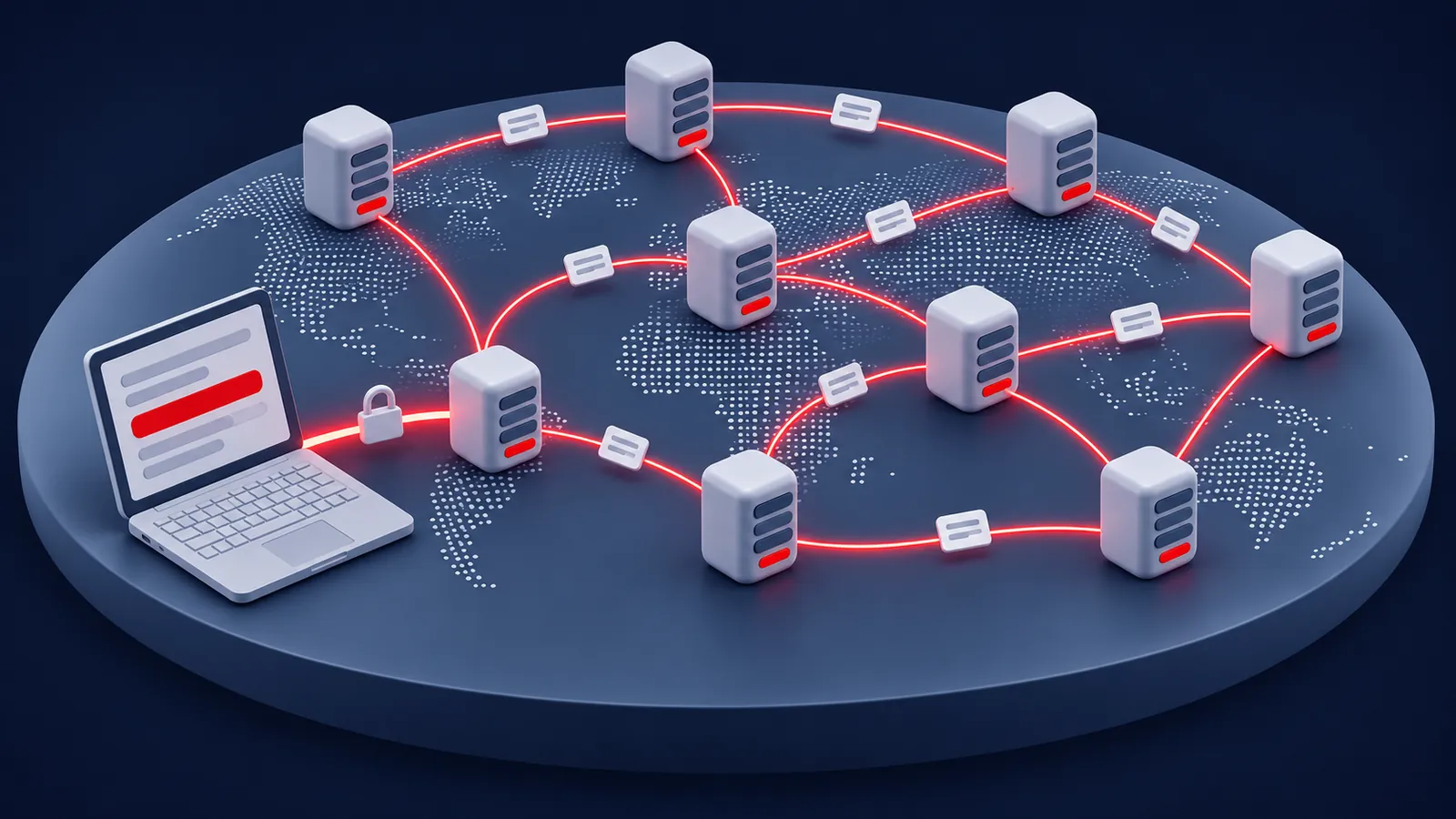
Why You Should Always Use an Encrypted Connection
Usenet has no privacy of its own. A newsreader without encryption sends your username, your password and every article you read across the internet as plain text. Switching on SSL/TLS, the same encryption secure websites use, scrambles all of it between your newsreader and our server.
| Setting | What to enter |
|---|---|
| Server | secure.fastusenet.org, or news.fastusenet.org (US) or euro.fastusenet.org (Europe) |
| Encryption | SSL/TLS switched on |
| Port | 563, or 443, 465 or 5563 if your network blocks 563 |
Learn moreHow strong our encryption is
When we tested on November 1, 2026, all four of our encrypted ports used TLS 1.3, the newest version, with 256-bit AES encryption, and our security certificate covers all three of our server names. Encrypted Usenet connections follow RFC 8143, which recommends encrypting the connection from the very start, as port 563 does.
Our SSL security page has more on how encryption protects you.
Back to contentsWhat Your Internet Provider and Others Can See
Here’s what each party can see when you use Usenet, with and without encryption:
| Who | With encryption | Without encryption |
|---|---|---|
| Your internet provider | That you’re connected to a Usenet server, and how much data you transfer | Everything, including your password and what you read |
| Others on the same Wi-Fi | The same as your internet provider | Your password and what you read |
| Fast Usenet | Your account and how much you download, which is how plan allowances work. Not the groups you visit or the articles you read | The same |
| Other Usenet users | Your posts, with the name and email address you chose | The same |
A VPN adds one more layer by hiding which server you connect to, but you don’t need one to keep your Usenet activity private from your internet provider. If you use a VPN with Fast Usenet, keep all your devices on the same VPN connection, because our service is for personal use and accepts one IP address at a time.
Back to contentsWhat Fast Usenet Does and Doesn’t Keep
- We don’t track what you read or download. Fast Usenet doesn’t track or log the newsgroups you visit or the articles you access. We see how much you download, because that’s how plan allowances work.
- We keep a record of posts. Posts made through our service are logged, so a post can be linked to the account that made it.
- Network details stay anonymous. We may keep technical information such as IP addresses in anonymous, combined form, to keep our servers running well.
- Account and billing details are the ones you give us when you sign up. Payment processors handle card details on our behalf.
- We share information only as our privacy policy describes, for example when the law requires it, such as with a court order.
Our privacy policy has the full details.
Key takeaway
With encryption on, your internet provider can’t see what you read or download, and Fast Usenet doesn’t log it either. Posts are the exception: they’re public, and we keep a record of them.
Is Your Internet Provider Slowing Usenet Down?
Some internet providers have slowed down particular kinds of traffic to save capacity, a practice called traffic shaping or throttling. Encryption makes this much harder, because your provider can no longer see what your connection carries. If your downloads seem slower than they should be, try these steps:
- Run our speed test to see what your internet connection can do.
- Make sure SSL/TLS is on, and try another encrypted port, such as 443, 465 or 5563 instead of 563.
- Try our other server:
news.fastusenet.orgin the US oreuro.fastusenet.orgin Europe. The best route also depends on your internet provider. - Adjust your connections. A few more can help, up to the 50 Fast Usenet allows.
- Test at a different time of day. Evening congestion on your provider’s network can slow everything down.
Privacy When You Post
Reading is private, but posting is public by design. Your posts show the name and email address you set in your newsreader, they’re copied to servers worldwide, and they can stay available for years. Use a nickname and a separate email address, never post personal details, and remember that a post can’t reliably be deleted once it has spread. Our guide to posting covers privacy when you post in more detail.
Back to contentsModeration, Censorship and Takedowns
No single company controls Usenet, so there’s no central place where posts are approved or removed. Moderated groups review posts before they appear, but that applies only to those groups, and each provider decides which newsgroups it carries.
Providers, including Fast Usenet, remove articles when the law requires it, such as after a valid takedown notice under the DMCA. Our DMCA policy explains how that works. If you come across something illegal or abusive, please let our support team know.
Back to contentsStaying Safe on Usenet
- Use a strong, unique password for your Usenet account, and don’t share it. Fast Usenet is for personal use.
- Treat files like email attachments. Open only files you trust, and keep your security software up to date.
- Be careful with links in emails. If a message asks for your password or card details, don’t use its links. Go to our members area yourself instead.
- Check certificate warnings. If your newsreader warns about a security certificate, check the server name for typos. Our certificate covers
secure.fastusenet.org,news.fastusenet.organdeuro.fastusenet.org. - Keep your newsreader up to date so you have the latest security fixes.
Key takeaway
Switch on SSL/TLS, use a strong password, post under a nickname, and open only files you trust. Those four habits cover the essentials.
Frequently Asked Questions
Is Usenet anonymous?
Reading is private: with encryption on, your internet provider can’t see what you read or download, and Fast Usenet doesn’t log the groups you visit or the articles you access. Posting isn’t anonymous: posts show the name and email address you choose, and we keep a record of posts made through our service.
Does Fast Usenet log what I download?
No. We don’t track or log the newsgroups you visit or the articles you access. We only see how much you download, which is how plan allowances work.
Can my internet provider see what I download?
Not with encryption on. It can see that you’re connected to a Usenet server and how much data you transfer, but not what that data is.
Do I need a VPN for Usenet?
Not to keep your Usenet activity private from your internet provider, because an encrypted connection already does that. A VPN also hides which server you connect to. If you use one with Fast Usenet, keep all your devices on the same VPN connection, because we accept one IP address at a time.
Which port is the most secure?
Any of our encrypted ports: 563, 443, 465 or 5563 with SSL/TLS switched on. They all use the same strong encryption. 563 is the standard port for encrypted Usenet, and the others help if a network blocks it.
How do I report illegal content?
Contact our support team with the newsgroup and the article’s Message-ID. Copyright owners can send a notice as our DMCA policy describes.